Charoite in Mielon's The Sift: How to Verify It Safely | The Sift Minecraft
A source-led guide to checking whether Charoite is present in Mielon's The Sift, matching the right file and loader, testing it safely, and avoiding invented recipes or drop rates.
If you saw Charoite mentioned in a Mielon's The Sift video, world download, mod list, or search result, do not assume it is available in every file of the mod or that a recipe from another project applies. The public Mielon's The Sift CurseForge project is the source for current Java files, their Minecraft version labels, loader labels, dependencies, changelog, and author notes. It does not make a similarly named item, command, portal, or tutorial valid for your installation.
Direct answer
Use the exact CurseForge file you intend to install to verify whether Charoite is present in your Mielon's The Sift setup. Do not copy a crafting recipe, drop rate, spawn condition, or command from a video unless the author's current file notes or an in-game test in that same version supports it. Mielon's The Sift is a community Java mod, not the announced vanilla Minecraft version of The Sift. Keep it separate from The Sift Backport and from Bedrock add-ons with similar names.
At the time this guide was checked, the public project listing identifies Mielon's project, its author, and a description that mentions Siftslate, Ichor, ancient life, and resonant souls. That listing alone is not enough evidence to publish a fixed Charoite recipe, exact drop rate, or compatibility promise. This guide gives you a repeatable way to find out what your selected file contains without risking an important world.
Start with project identity, not an item name
“The Sift” is not a unique instruction set. Search results can mix official Minecraft and Minecraft Dungeons II news with multiple community projects. A filename, a thumbnail, or a search snippet cannot tell you which implementation a player installed. Start with the author and project page instead:
- Open Mielon's The Sift on CurseForge.
- Confirm the author is Mielon and that the project is in the Minecraft Java mod category.
- Open the Files tab for the release you want, then read its Minecraft version, loader labels, dependencies, and changelog.
- Write those values down before downloading anything.
- Treat details from a differently named project as unverified until you can reproduce them in this exact profile.
The Sift Backport installation guide covers a separate project, and the Bedrock project guide covers different packages and edition rules. Neither page proves that an item exists in Mielon's Java mod.
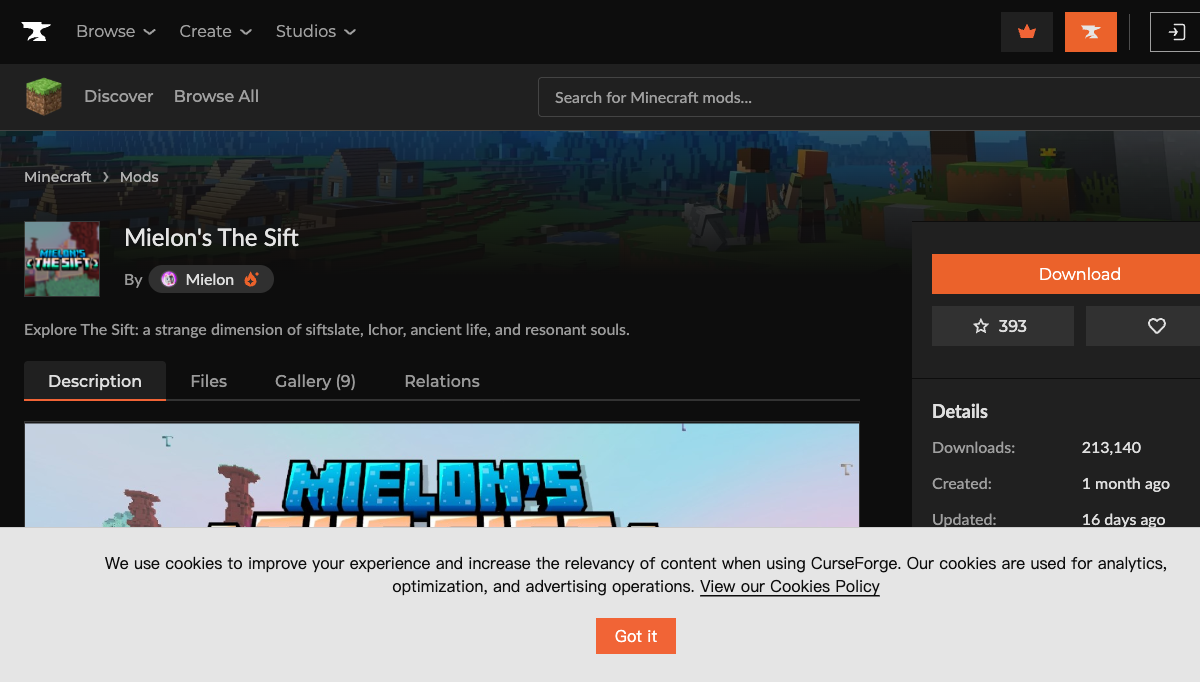
Self-captured on October 17, 2026 from Mielon's The Sift on CurseForge. This image identifies the project page only. File availability, versions, loaders, and descriptions can change, so verify them on the live page before installing.
What the available sources establish
The public CurseForge listing can establish that Mielon's project exists, who published it, and where to inspect current files. The exact file page is the authority for the release you choose. It is also the right place to look for a dependency, a loader-specific build, a breaking change, or an author instruction.
The listing is not a safe basis for claims it does not show. This page does not publish an exact Charoite recipe, probability, biome coordinate, guaranteed enemy drop, console command, or promise that an item works on every version. Those values can vary between releases, can belong to another mod, or can be invented by an uploader. Leaving an unverified value blank is more useful than sending a player into a broken world with false instructions.
| Question | Safe source | What to do |
|---|---|---|
| Is this Mielon's project? | CurseForge project author and URL | Confirm Mielon before downloading. |
| Which Minecraft version can I use? | The selected CurseForge file | Match the launcher profile exactly. |
| Which loader can I use? | The selected file's loader label | Do not treat Fabric, Forge, and NeoForge jars as interchangeable. |
| Is a library required? | The file's dependencies or relations | Install only the version listed for that file. |
| Is Charoite in this release? | Author notes, changelog, or a clean in-game test | Record the result with the version and loader. |
| How is Charoite obtained? | Explicit author documentation or repeatable test | Do not trust a recipe from an unrelated video or pack. |
Match the version and loader before testing
An item test is only meaningful when the game started with the intended file. First create a fresh launcher profile or duplicate instance. Select the same Minecraft version and loader named by the file page. Then add the dependency list exactly as shown there. Do not begin with a large modpack, because a missing registry entry, recipe conflict, or crash can come from another mod.
Fabric, Forge, and NeoForge all use familiar folders, but they are separate loader ecosystems. A jar copied into a mods folder is not automatically compatible because the directory name matches. Likewise, a file listed for one Minecraft version should not be forced into a nearby release. Small Minecraft updates can change registries, mappings, data formats, or loader APIs. Renaming a jar never repairs a mismatch.
Before launching, make a dated backup of the world you care about and the full instance configuration. Keep the backup outside the live save directory. If you use a launcher profile manager, duplicate the profile so your experiment has its own mods, config, and saves folders. This is faster than recovering a survival world after a failed update.
A reproducible Charoite verification workflow
The goal is not to “prove” a feature from a search result. The goal is to answer one practical question: does this selected Mielon file expose Charoite in a clean test world, and can you reproduce that result later?
1. Record the installation baseline
Before adding the mod, record the Minecraft version, loader name and version, Java runtime shown by the launcher, and the file name/version selected from CurseForge. Start an empty test profile once with no content mods. This establishes that the loader works before Mielon's file is involved.
2. Add only the selected file and listed dependencies
Install the exact Mielon jar and only dependencies named for that release. Do not add optimization packs, recipe viewers, world generators, or a second The Sift mod during the first boot. If the game crashes at this stage, save latest.log and the crash report. A clean failure tells you more than a modpack failure with dozens of possible causes.
3. Create a disposable test world
Launch a world whose only purpose is testing. Confirm that the loaded mod list identifies Mielon's project and that title screen, world creation, save, close, and reopen all work. The ability to load once is not enough; a broken registry or migration can appear when the world is reopened.
4. Check the sources bundled with this release
Read the selected file's changelog and project description first. If the author explicitly names Charoite, preserve the exact spelling and version context in your notes. If the author does not name it, do not promote a third-party description to fact. Then inspect only interfaces available in the clean profile, such as documented guide content, author-provided recipe views, or clearly labelled creative inventory entries. Do not enable cheats or use a command from another project just to force a result.
5. Capture an outcome, including a negative outcome
If Charoite appears in a source-backed in-game location, take a self-captured screenshot that includes enough context to identify the profile or item label. Record Minecraft version, loader, Mielon file version, and date beside it. If it does not appear, record that too: “not found in a clean test with this file” is narrower and more honest than “Charoite does not exist.” A later file can change the result.
6. Repeat after any update
When CurseForge shows a new build, repeat the test in a copy of your instance. Read the new changelog before replacing a file. If a resource disappears, a recipe changes, or the test world fails to load, restore the backup and keep the old log. Never downgrade a live world merely because an update crashes.
Common mistakes that create false results
Using a tutorial for a different project
The common error is importing an instruction from a Backport, Bedrock add-on, custom modpack, or unofficial re-upload. Compare author, edition, file name, Minecraft version, and loader before copying any action. A command that works in a Backport world is not evidence for Mielon's project or vanilla Minecraft.
Treating a video title as a source
Videos can help you see an interface or understand a player's route, but a title does not establish a current version, file relation, or item probability. Prefer the author's file page for facts. If you use a video for setup, verify its version and loader against the live CurseForge file.
Guessing from a material name
“Charoite” sounds like a material name, but a name does not tell you whether it is an item, block, tag, cosmetic label, removed feature, or something from another mod. Do not infer a tool tier, armor upgrade, world rule, or recipe from the name. Wait for author notes or a reproducible test.
Testing inside a valuable world
Community mods can add blocks, items, entities, dimensions, or stored data. Removing or changing a file may leave missing-content warnings when the world opens. Test updates and removals in a copy first. Keep the world backup, instance configuration, and logs until the copied world has reopened successfully.
Changing multiple variables at once
If you replace the mod file, loader, Java runtime, and dependencies in one attempt, the result tells you nothing. Change one variable, start the clean profile, and retain the log. This is slower during setup and far faster during troubleshooting.
Troubleshooting a failed verification
The game fails before the title screen. Recheck the exact Minecraft version and loader label on the selected CurseForge file. Remove mismatched jars and recreate the clean profile. A missing-class, mixin, or version-range message is usually an installation boundary, not a Charoite gameplay clue.
The game starts, but the item is missing. Confirm loaded mod list and file version, then read changelog and author description. Do not add a second Sift project to make an item appear; that invalidates the test. Record the absence in the clean profile and look for an author update instead.
A recipe viewer shows conflicting entries. Reduce the test profile to Mielon's selected file and required dependencies. Recipe viewers and content mods can add, hide, or alter entries. The safest conclusion is the one reproducible with the smallest supported installation.
A world reports missing content after an update or removal. Close the game, restore the backed-up copy, and test in a duplicate instance. Do not remove the warning by opening and resaving the only copy. If the author supplies a migration note, follow it; this guide does not invent a cleanup command or guarantee safe removal.
Official context versus community context
The official Minecraft Dungeons II trailer below provides context for the announced official The Sift setting. It is not a demonstration of Mielon's Java mod, Charoite, a current CurseForge file, or vanilla Minecraft compatibility. Keeping that boundary visible prevents a community mod page from being mistaken for a launch announcement.
For official availability, use What is The Sift? and the release-date explanation. For mod-specific setup, use Mielon's The Sift installation guide. An official announcement can establish an official schedule; the author file page can establish a community mod's current installation requirements.
FAQ
Is Charoite confirmed in every Mielon's The Sift version?
No. Use the selected CurseForge file, author notes, and a clean test of that same file. This page does not claim a fixed item list across every release.
Can I use a Charoite recipe from YouTube?
Only after the video's project, Minecraft version, loader, and file version match your selected release and you reproduce the result in a test world. A video alone is not a current source of crafting facts.
Is Charoite a vanilla Minecraft item?
This guide does not establish it as one. Mielon's The Sift is a community Java project. Check official status pages before treating a community item as an announced vanilla feature.
Will this work on Bedrock, console, or mobile?
No conclusion follows from a Java CurseForge file. Bedrock add-ons are separate projects with their own package, device, and version requirements. Use the Bedrock guide for that boundary.
Where should I download the mod?
Start with Mielon's author page on CurseForge, then select the file matching your test profile. Avoid mirrors that do not identify author and exact file metadata.
What should I include in a bug report?
Include Minecraft version, loader and loader version, Mielon file version, dependency list, exact test steps, latest.log, crash report if present, and whether the issue reproduces in a clean profile. Do not publish a private world save or personal launcher data.
Related guides
- Mielon's The Sift: installation and compatibility
- Mielon's Siftite guide
- Sift armor and Siftite armor boundary
- The Sift Backport installation
- The Sift Bedrock project guide
- Portal troubleshooting
- Official source status
Sources
- Mielon's The Sift on CurseForge - project identity, current files, loader labels, dependencies, and author notes; checked October 18, 2026.
- Minecraft Dungeons II official gameplay trailer - official The Sift context only; checked October 18, 2026.
- Xbox Wire: The Sift announcement - official availability context; checked October 18, 2026.
Related Guides
Blub Minecraft Guide: Mielon's The Sift Mod
Find out what the Blub is in Mielon's The Sift mod, including its neutral behavior, Soul Block attraction, and taming notes.
How do I choose a compatible Mielon's The Sift file | The Sift Minecraft
A source-led answer about How do I choose a compatible Mielon's The Sift file?
How do temporary Rifts work in Mielon's The Sift | The Sift Minecraft
A source-led answer about How do temporary Rifts work in Mielon's The Sift?
How does Mielon's Ancient City sound portal work | The Sift Minecraft
A source-led answer about How does Mielon's Ancient City sound portal work?